
Welcome to the November edition of our product update, packed with powerful improvements to help your teams do more, faster.
We have a long list of improvements behind the scenes with 37 new features and enhancements, as well as 163 fixes that your teams will feel right away in A365 Sales, Rental, Service, Inspections, and Dealer Management.
Let’s jump into what’s new in A365 this month.
Product update: A365 Sales
Ability to see number of items in stock and price from for a Catalog Item
Sales teams can now see the essentials at a glance on the Catalog Item page.
- A new Price From field shows the starting price for the model based on the user’s company and currency.
- A simple x in stock label tells you how many matching devices are currently available in your legal entity.
Your sellers can answer “How much and how many?” without opening a deal or quotation.
Ability to install accessories from a Deal
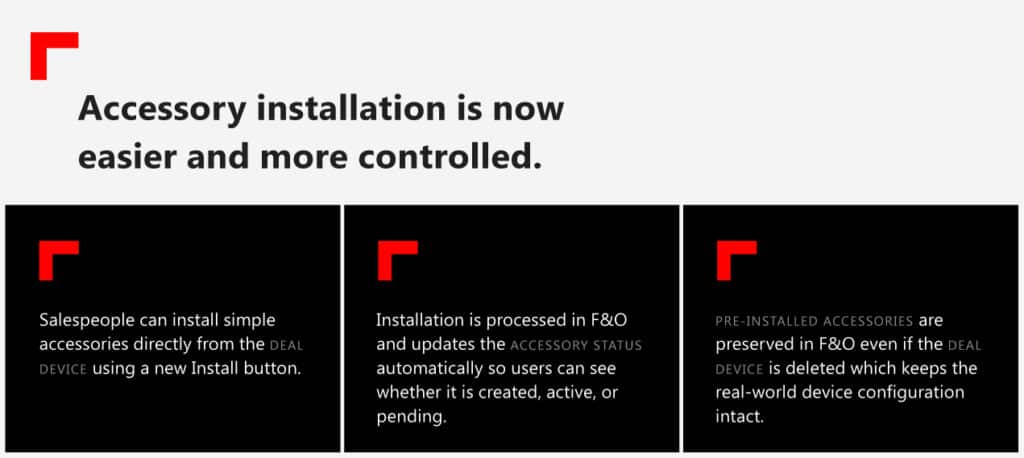
This gives sales a clear view of what is actually installed on a device and removes guesswork for service later.
Mandatory dimension validation on Catalog Item page
Salespeople get early visibility into required dimensions before creating a Deal. The Catalog Item page now highlights which values must be selected such as configuration, exterior, or interior so the Deal creation process flows smoothly from the start.
Deal Device Warranties modification updates
Warranty management on Deal Devices is now cleaner and easier to follow
The warranty subgrid shows more meaningful fields such as usage and amounts, and users can no longer create warranties directly from the list. Everything flows through the guided PCF control, helping keep data consistent and easy to understand.
Product update: A365 Rental
Transport request from Sales order
Transport planning is now unified between Sales and Rental. Users can create a transport request directly from a Sales order, track its status, and convert requests to transport orders from the planning workbench. It brings Sales orders into the same familiar transport flow used elsewhere in A365.
Transport request from Device transfer
Device transfers now automatically create both outbound and inbound transport requests when needed. These appear in the shared transport workbench where planners can manage them alongside other requests and convert them into transport orders as the delivery progresses.
Create Transport orders from Sales & Purchase orders, Device & Inventory transfers
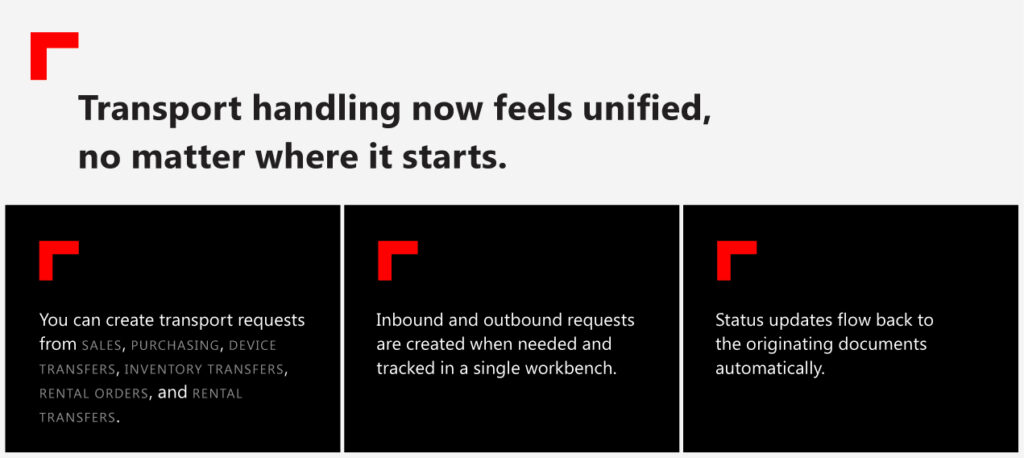
Everything follows the same process, making transport planning feel much more consistent.
Product update: A365 Parts
Enhance product templates with additional fields to default
Product templates now carry more information so new products start off right.
- Additional fields like Allow price adjust and integration flags are now included.
It means fewer manual corrections and more consistent product records.
Item changes selection screen pop-up automation for released items created via catalog search
We have refined how item changes are created and imported.
- When a released product is created via Search from catalog, the Item change selection popup now respects your configuration and appears when you expect it.
- Item change and alternative item entities support external item reference types and IDs, including a new v2 entity that can import multi line changes in one go.
This makes it easier to apply catalog updates and keep replacement structures aligned with external data
Apply item changes for a remanufactured item
When a remanufactured item is selected for replacement, the system now creates the corresponding refund line when required
This supports setups where remanufactured refunds are handled as separate transactions.
Backorder sourcing strategy for efficient fulfillment
Backorders now use a defined sourcing strategy that evaluates warehouse preferences and vendor fallbacks. This provides a consistent way to propose transfers or purchase orders when on-hand inventory is insufficient.
Backorder sourcing parameters and setups
A new setup helps companies control how missing quantities are sourced when stock is short.
Key updates include:
- Warehouses can define sourcing preferences and refill sequences.
- A fallback vendor can be set when no default vendor exists.
- Settings are maintained on the backorder sourcing form and used when shortages occur.
This supports a consistent approach to creating transfers or purchase orders when on-hand inventory is not available.
Backorder sourcing functions and logic
The backorder process now follows these sourcing rules automatically.
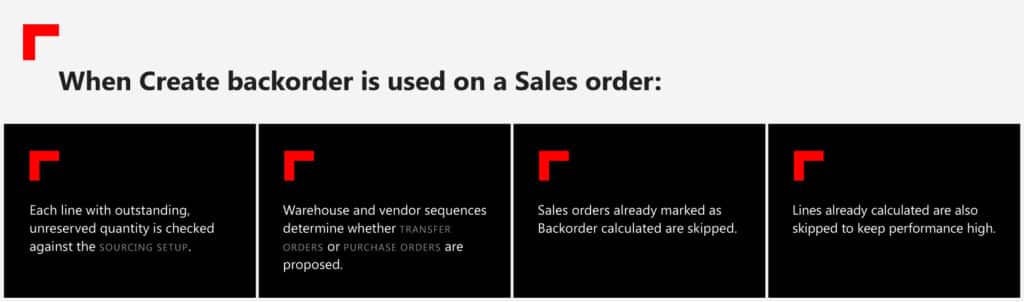
This results in a clearer, more controlled process for handling shortages and maintaining a flexible sourcing strategy across warehouses and vendors.
Product update: A365 Service
Show service order totals in Appointment totals
Service Advisors can now see Service order level totals directly in Appointment totals. It makes pricing conversations easier, especially when multiple jobs roll into a single Service order.
Allow multiple arrivals for Service appointments
Complex schedules now feel more manageable.
- Advisors can pick exactly which booking is marked as arrived for multi day or multi booking appointments.
- Multiple bookings can be grouped into one service order from a new booking control.
This makes it easier to organize real workshop work without creating unnecessary orders.
Improved handling of cancelled jobs and job details on Service appointments

These changes help keep service data tidy and consistent.
Product update: A365 Warranty
Warranty claim proposals
Warranty claim proposals bring structure to warranty work.
- When a service invoice type is set to warranty claim, A365 automatically creates a proposal with all the right fields.
- Advisors and mechanics can record symptom, cause, resolution, failure codes, and causal parts in one place.
A cleaner, more traceable process for warranty work from start to finish.
Product update: A365 Inspection
Enhancements to unified inspections in Inspection Center (Preview) app
Inspection performance is improved by storing key settings directly on the inspection point. Allow skip, allow warn, allow resolve, and unit values now carry through automatically which helps inspections load faster and behave more predictably.
Inspector mobile app

It’s a smooth, intuitive way to perform inspections in the field.
Product update: A365 Dealer Management
Identify the device properties severity
Device properties now only show when intended for web display and trigger a clear warning when a device has a related property. The page also supports longer names for property groups for better readability.
All Device list – Display additional data on the device details pages
Device details now include engine number, serial number, and updated VIN mapping to chassis number. This gives portal users a fuller picture of the device they’re reviewing.
Claim list sorting and filter
Claims are now much simpler to navigate.
- Users can filter and sort by claim number, device, claim type, or status.
It saves time and gets people to the right claim faster.
Product update: Platform and integration
Support for storing Azure Maps subscription keys in Key Vault
Subscription keys can now be managed in a more secure and flexible way.
- Azure Maps keys can be stored in Azure Key Vault and referenced from F&O instead of being entered directly.
- Settings clearly control when Bing Maps, Azure Maps, or Key Vault based keys are in use.
This strengthens security while keeping configuration simple for admins.
F&O Performance improvements – Reduce code in Post Load methods on transactional entities
We’ve removed heavy logic from post load methods across major transactional entities so record handling is faster and dual write more consistent.
Your system should feel a bit lighter and more responsive, especially in high volume scenarios.
Improved validation & address updates in Device custodian V2 entity import
A few improvements round out the platform updates:
- Device custodian imports now validate addresses more reliably.
- Locations gain a new Area field available through dual write.
- Document Queue supports fixed length outbound files with proper validation.
Smaller touches that remove friction and help integrations run more smoothly.
Wrapping up
The November 2025 release builds on the same principles as previous months.
From smarter sales tools and unified transport flows to cleaner service data, stronger inspections, and a more secure platform, every change is aimed at making day-to-day work smoother while keeping data accurate and connected.
For full release details and walkthroughs, visit the Insider Portal, contact us for more information, or follow us on LinkedIn.