
Quick answer: Delays in commercial vehicle service centers are caused by disconnected handoffs between scheduling, parts, and workshop teams. When teams don’t share a live view of the same job, small gaps compound into real downtime. Coordinating those workflows through a connected system reduces the structural causes of delay.
Every service manager in trucks and buses knows the moment. A vehicle’s in the bay. The technician’s ready. But the part hasn’t been confirmed, the work order’s still open, and nobody’s sure who approved the next step. The vehicle sits. The customer calls. And the delay gets written off as one of those days.
It’s rarely a one-off. The same handoff breaks. The same scheduling gap. The same part category. When delays follow a pattern, that pattern has a structural cause.
Where do trucks and buses service center delays actually come from?
Most delays in a commercial vehicle service center don’t start on the workshop floor. They start at the handoff points: the moments when information moves from one team, tool, or screen to another.
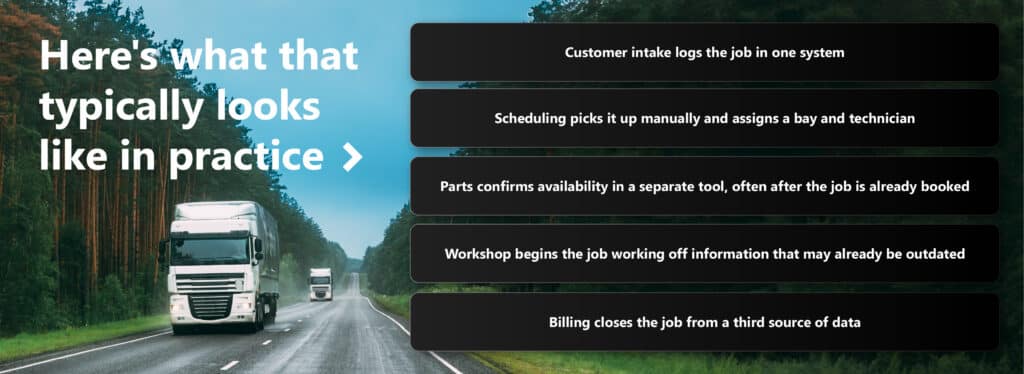
A typical job for a trucks and buses service center passes through four or five disconnected touchpoints before the vehicle even enters the bay: intake logs it in one system, scheduling assigns manually, parts confirms availability separately, workshop starts from outdated information, and billing closes from a third source. At each handoff, the risk of a gap compounds.
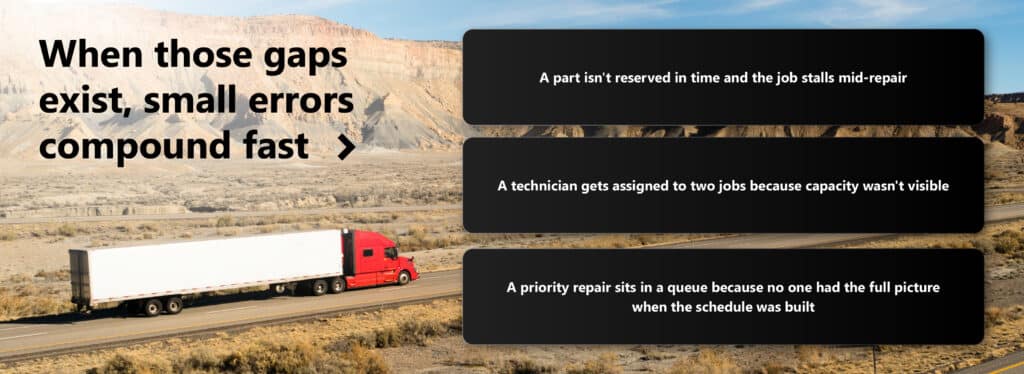
The result is predictable: parts not reserved in time, technicians double-booked, priority jobs sitting in queues because no one had the full picture.
By the time the vehicle enters the bay, the information supporting that job, each one a potential gap.
That’s not operator error. That’s the predictable result of teams working from incomplete or disconnected information.
Why does the same problem keep recurring?
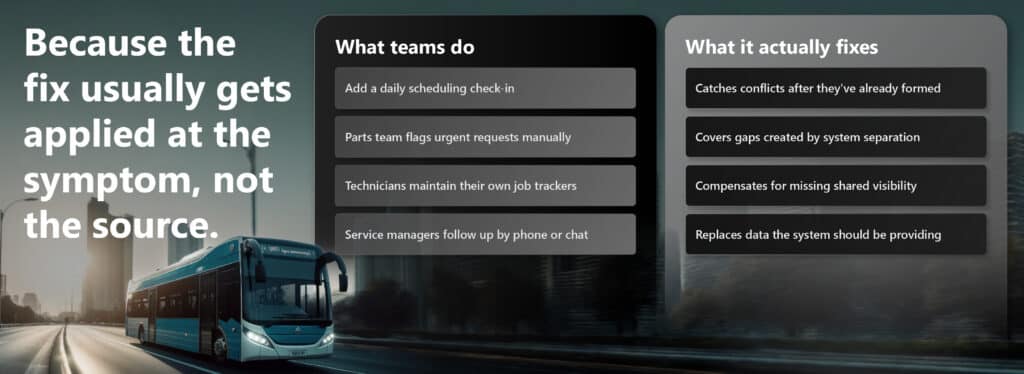
Because the fix usually gets applied at the symptom, not the source. Teams add a daily scheduling check-in, which catches conflicts only after they’ve already formed. The parts team flags urgent requests manually, which covers gaps created by system separation rather than closing them. Technicians maintain their own job trackers to compensate for the lack of shared visibility. Service managers follow up by phone or chat, replacing data that the system should be providing in the first place.
These adaptations work, up to a point. But they don’t survive volume, staff turnover, or a bad week. Each team sees its own slice of the operation, but no one sees the whole job at once.
When a vehicle’s delayed, the useful question isn’t “who’s responsible?” It’s “what information was missing, and at which point in the job?”
How do trucks and buses service centre inefficiencies compound at scale?
A thirty-minute delay on a single job is easy to absorb. Scale that across an operation and it’s a different picture.
Trucks and buses service centers operate under tight contractual obligations, fleet uptime commitments, and customer SLAs. In that environment, a service center running on informal coordination is always one bad week away from a backlog it can’t clear.
The inefficiencies that feel manageable at low volume become the ceiling that limits growth at scale. In a market where fleet operators measure uptime to the day, that ceiling has a direct commercial cost.
What does a well-coordinated truck and bus service center actually look like?
A well-coordinated commercial vehicle service center doesn’t get surprised mid-job. Here’s how the same workflow looks when the systems are connected:
| Function | Disconnected | Connected via A365 |
|---|---|---|
| Job booking | Manually entered across systems | Single intake, flows to all functions automatically |
| Parts reservation | Checked separately, often after scheduling | Confirmed at booking, visible to workshop in real time |
| Technician assignment | Based on estimated capacity | Based on live availability and current workload |
| Mid-job changes | Communicated informally | Immediately visible to all affected teams |
| Job closure and billing | Reconciled across sources | Closed from a single record |
That kind of coordination doesn’t require more meetings or manual status updates. A365 connects these workflows within the Microsoft ecosystem, drawing on Microsoft Dynamics 365, Dataverse, and Azure AI capabilities, including Copilot and Power Platform. Service teams get a unified view of the job, from first booking through parts confirmation to technician assignment, without switching between systems or waiting for someone to update a spreadsheet.
How does an AI-connected ERP help truck and bus service operations?
AI in a trucks and buses service center only works when it’s embedded in the actual workflow, not added on top of it. When scheduling, parts, and workshop execution all run through a connected system like A365 on Microsoft Dynamics 365, AI tools like Copilot have access to the full job context. In practice, that means:
- Predictive parts demand based on vehicle service history and upcoming job schedules
- Capacity recommendations grounded in real technician availability, not estimates
- Scheduling conflict alerts that surface before they affect throughput, not after
- Live job status visible to service advisors, parts teams, and workshop leads simultaneously
Integration isn’t a feature. It’s the prerequisite for everything else. A DMS or CRM that sits separately from the ERP doesn’t give AI the data it needs to be useful.
What should you look for in a service management system for commercial vehicles?
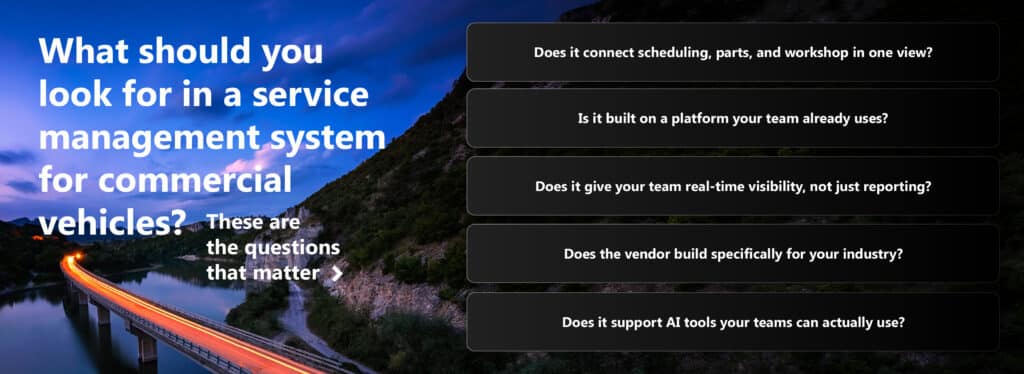
When evaluating trucks and buses service center management software, these are the questions that matter:
- Does it connect scheduling, parts, and workshop in one view? Systems that require manual updates between teams create the exact handoff gaps that cause delays.
- Is it built on a platform your team already uses? A365 runs natively on Microsoft Dynamics 365, which means it works within the same environment as the rest of your business, rather than requiring a separate integration layer.
- Does it give your team real-time visibility, not just reporting? After-the-fact reporting shows what went wrong. Live visibility lets you act before a delay compounds.
- Does the vendor build specifically for your industry? Generic ERP systems require heavy customization to fit commercial vehicle service workflows. Purpose-built systems for trucks and buses already reflect how the work actually runs.
- Does it support AI tools that work inside your existing workflows? Copilot embedded in a connected workflow is a practical tool. Copilot layered on top of a disconnected one isn’t.
Industry context: why this matters now
A few reference points worth keeping in mind when making the case internally for better trucks and buses service center coordination:
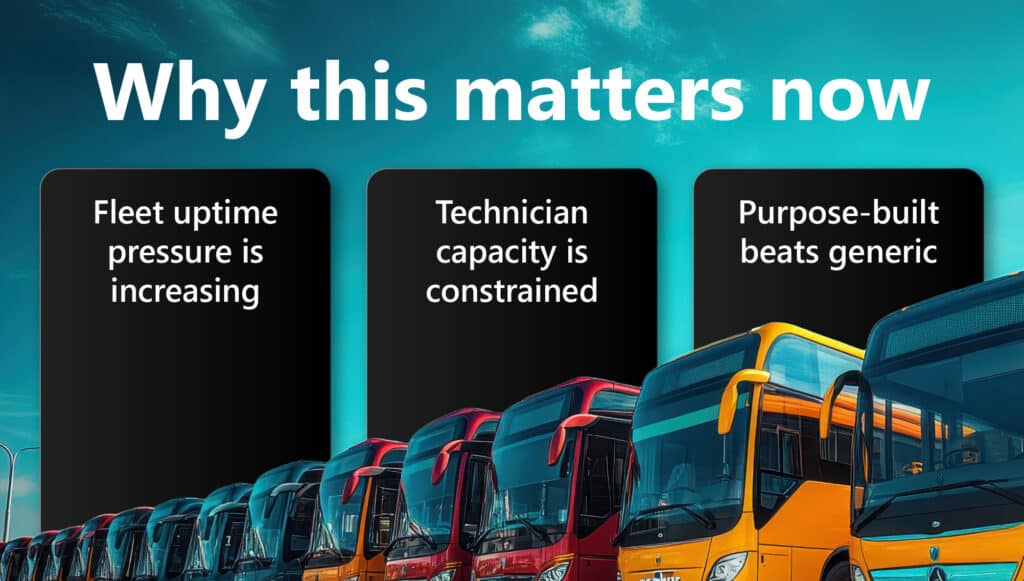
- Fleet uptime pressure is increasing. As transport networks tighten delivery windows and contract SLAs, unplanned downtime in a service center creates cascading costs for fleet operators.
- Technician capacity is constrained. Skills shortages across the commercial vehicle sector mean operations can’t afford to waste technician time on avoidable delays or rework caused by information gaps.
- Purpose-built tends to outperform generic. In Annata’s experience across automotive, trucks & buses, and equipment implementations, purpose-built systems reach value faster and require less customisation overhead than horizontally deployed platforms adapted for vertical workflows.
The pattern is usually already in your data
If your trucks and buses service center has recurring delays, the pattern’s likely visible in your existing data:
- The same handoff points breaking down
- The same part categories causing holds
- The same scheduling windows generating backlogs
The difficulty is that the data lives in different systems, so the pattern’s never visible all at once. Getting that view is the starting point. Not a new process, and not a new team. Just a clearer picture of what’s already happening, in one place, in time to act on it.
See how A365 works for your trucks and buses service center
If recurring delays are costing your operation time and customer confidence, the fix starts with visibility. Talk to Annata’s trucks and buses specialists and see what a connected service workflow looks like in practice.
Request a demo | Submit an inquiry
Frequently Asked Questions
What causes delays in a trucks and buses service center?
Most delays trace back to disconnected handoffs between scheduling, parts, and workshop teams. When each function uses a separate system, information gaps form at every transition point. A part doesn’t get reserved in time, a technician gets double-assigned, or a priority job waits in a queue because no one had the full picture. The delay isn’t the result of a single mistake. It’s the result of a process built on incomplete shared visibility.
How does a connected ERP reduce trucks and buses service center downtime?
When scheduling, parts, and workshop execution share a single data source, the gaps that cause delays close. Jobs are assigned with live parts availability visible. Capacity is confirmed before commitment. If something changes mid-job, the downstream impact is immediately visible to the people who need to act. A365 on Microsoft Dynamics 365 connects these functions so service teams aren’t relying on manual updates or informal coordination to keep jobs moving.
What’s the difference between a DMS, CRM, and ERP for commercial vehicle service?
A DMS (dealer management system) handles the commercial and administrative side of vehicle sales and service. A CRM (customer relationship management system) manages customer interactions and service history. An ERP (enterprise resource planning system) connects operations across the business, including parts inventory, scheduling, technician management, and financials. For trucks and buses, the most effective service operations use all three, connected. A365 integrates DMS, CRM, and ERP functions within Microsoft Dynamics 365, so data flows between them without manual re-entry.
How does AI improve trucks and buses service center operations?
AI tools like Microsoft Copilot add value in a service center when they have access to real operational data: service history, parts availability, technician capacity, and job status. When that data lives in disconnected systems, AI can’t do much with it. When it’s unified in a platform like A365 on Microsoft Dynamics 365 with Azure AI capabilities, Copilot can surface predictive parts demand, flag scheduling conflicts early, and recommend capacity allocations based on live workload. The AI works because the data works.
Is A365 purpose-built for trucks and buses, or is it a generic ERP?
A365 is purpose-built for trucks, buses, and heavy equipment by Annata, a Microsoft ISV. It’s built on Microsoft Dynamics 365 and designed specifically for the workflows, compliance requirements, and service structures of commercial vehicle operations. That means less customization overhead and a system that reflects how the industry actually works, rather than a generic ERP adapted after the fact.
How long does it take to implement a connected trucks and buses service center management system?
Implementation timelines vary by operation size, existing systems, and data complexity. Because A365 is built on Microsoft Dynamics 365 and Power Platform, organizations already using Microsoft tools typically have a shorter path to integration. Annata’s implementation teams specialize in trucks, buses, and heavy equipment, which reduces the time spent translating business requirements into system configuration.